Maino's World : Super Run Game
TG-StudiosAdventure
4.7868.00 Reviews
- Version
- 1.4.1.185
- Installs
- 5.00M
- Age Rating
- Teen
Screenshots
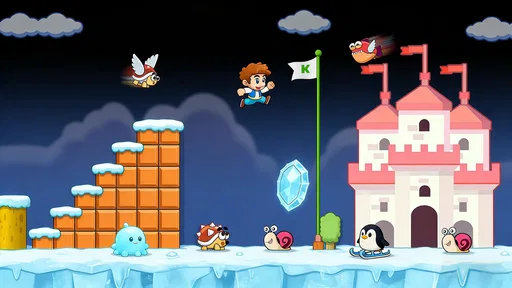
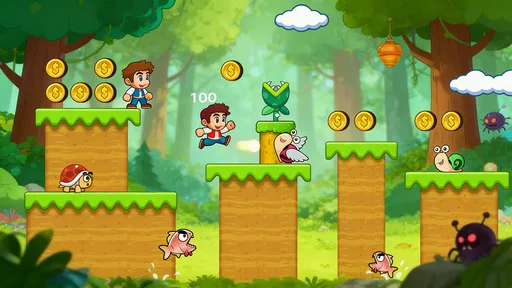
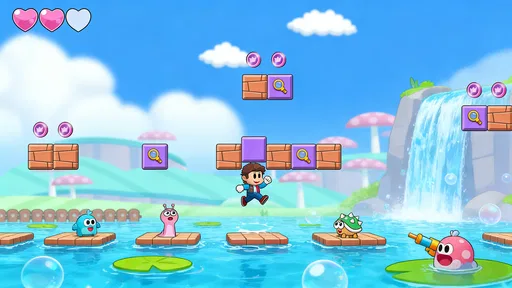
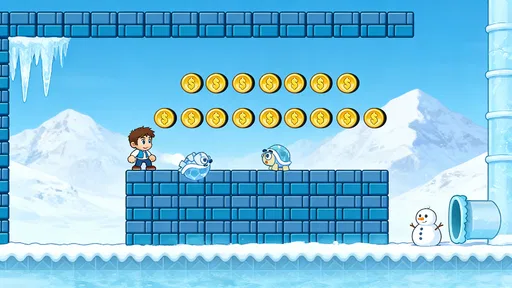
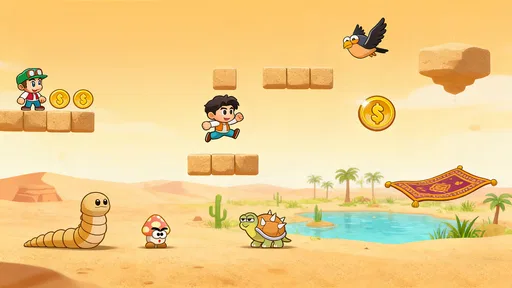
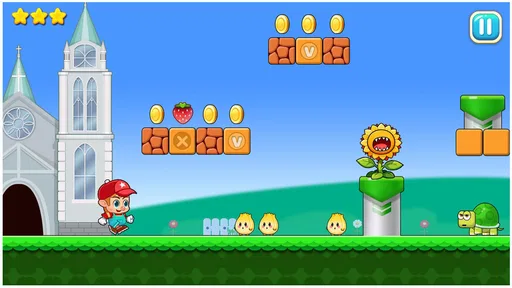
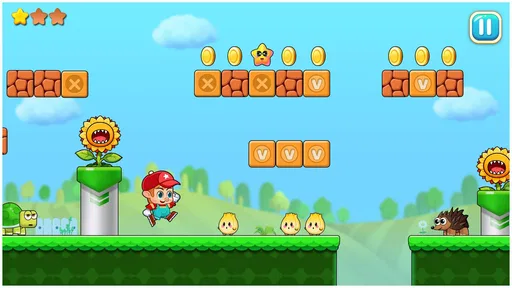
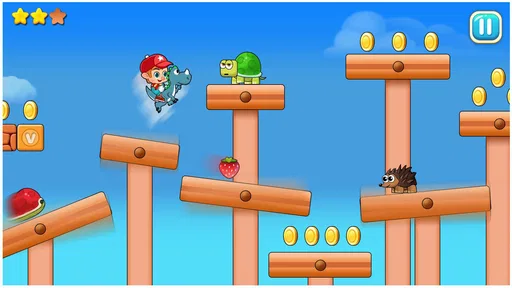
Our Review of Maino's World : Super Run Game
 Analysis by Appyee
My first impression of Maino's World: Super Run Game was that it aims for a familiar kind of adventure: move through dangerous stages, deal with enemies, and keep pushing toward the goal of rescuing the princess. That basic idea is easy to understand, but the appeal is not limited to the store summary. The game works best when you want a quick, readable platform-style challenge rather than a large role-playing game that demands a long session every time you open it.
I reviewed it as a free adventure game from TG-Studios, and its strongest quality is accessibility. You can understand the purpose almost immediately, which makes it suitable for short breaks, casual play, or anyone who enjoys the classic “one more attempt” rhythm. It is also clearly aimed at a Teen audience, so I would not present it as a small children’s game without checking whether its tone and challenge suit the child using it.
The public response is encouraging: it holds a 4.7 average from around 52 thousand ratings, with more than five million installs. Those figures suggest that the game has reached a broad audience, but they do not remove the need to consider its practical friction. A popular free game can still feel inconvenient on a particular phone, and a simple premise can still hide moments where a player is unsure what to do next.
Getting started without turning the first session into a problem
I start with a few low-pressure checks before judging how the opening feels: confirm the game runs on your device, make sure the screen responds comfortably, and try a brief session when you can give it your attention. That helps separate unfamiliar timing from genuine control or performance trouble. Once those basics are settled, the next useful question is how to make a failed attempt teach you something.
What usually causes confusion at the beginning
The first place I would expect players to hesitate is not the objective itself. Saving the princess is clear enough. The uncertainty comes from learning how the game expects you to approach hazards, enemies, and movement. In a run-focused adventure, a player can lose progress simply by reacting too quickly, especially when a familiar-looking obstacle requires a different timing choice than the one used a moment earlier.
My advice is to treat the opening attempts as observation rather than as a test of skill. Watch the spacing between hazards, notice how much room you have to react, and avoid rushing just because the screen appears straightforward. This approach is more useful than repeatedly making the same fast mistake. It also helps you decide whether the game’s pace suits you before you spend much time on it.
Another common sticking point is assuming that every failure means the controls are unreliable. Sometimes the real issue is that the player has not yet learned the game’s timing. I found it more productive to repeat a short section deliberately, changing one action at a time. If jumping too early fails, try waiting slightly longer on the next attempt instead of changing movement, speed, and timing simultaneously.
Simple checks before blaming the game
Because this is a mobile game, the quality of the first session depends partly on the phone itself. Before starting a serious run, I would close demanding apps, make sure the device is not struggling with storage, and install the current version available for the phone. The listed version is 1.3.5.185, and the game supports devices running Android 6.0 or later. That compatibility range covers many older phones, but basic system maintenance still matters on aging hardware.
If the game feels delayed, I would first check whether the phone is hot, busy with background work, or operating in a battery-saving mode. Those conditions can affect any action game, particularly one where a small timing difference changes the result. Playing with a stable connection may also help with installation and updates, even though the core appeal is the run itself rather than online interaction.
I would also check the obvious things that are easy to overlook: whether the device has enough free space for an update, whether the operating system is actually supported, and whether the screen is responding normally in other apps. If touch input is inconsistent everywhere, reinstalling this particular game is unlikely to solve the underlying problem.
A better way to learn each stage
My preferred workflow is to divide a difficult run into three questions. First, where is the earliest point at which I regularly lose? Second, what visual clue appears just before that point? Third, can I reach it with a deliberate plan rather than relying on reflex? This turns frustration into a small practice routine and makes the adventure feel more manageable.
It is also worth changing the way you hold the phone if your hand covers part of the play area or makes your input awkward. A comfortable grip gives you more consistent control than playing while walking, commuting, or holding the device with one hand in a crowded place. For a game built around avoiding enemies and surviving hazards, physical comfort is not a minor detail.
If you are introducing the game to someone who does not normally play mobile adventures, let that person learn at their own pace. Avoid taking the phone and completing the difficult section for them. The satisfaction comes from understanding the timing, and skipping that learning process can make later sections feel even more confusing.
Recovering from failed runs and interrupted play
A failed run is easier to learn from when I change one thing at a time instead of restarting in a rush. I try to identify the exact moment my plan stopped working, then use the next attempt to test a different reaction or pace. Interruptions can muddy that comparison, so I also consider whether I was distracted or simply needed a break before deciding the game itself was at fault.
How I handle a run that goes wrong
When a run fails, I try not to restart immediately on autopilot. I first identify whether the mistake was caused by rushing, poor positioning, an enemy I underestimated, or a control input that did not register as expected. That distinction matters. If the problem was timing, repeating the same movement faster will not help. If the problem was input, practicing the stage may not be the right first response.
A useful habit is to pause mentally after a loss and describe the mistake in one sentence. “I reacted after the hazard was already close” is actionable. “That section is unfair” is understandable in the moment, but it does not tell me what to change. This small adjustment made repeated attempts feel less wasteful and helped me judge the game more fairly.
I would also avoid playing while distracted when attempting a section that has already caused several failures. Maino’s World is better suited to focused bursts than to half-attention. If you are answering messages, watching television, or walking through a busy area, the game may appear more difficult than it really is because your reaction time is being divided.
What to do after an update or reinstall
Free mobile games often receive updates, and an update can change how a particular device behaves even when the game itself feels familiar. After updating, I would play a short low-pressure session first. Check that touch response feels normal, that the game opens correctly, and that your progress appears as expected before committing to a demanding attempt.
If the game closes, freezes, or refuses to start, I would use a cautious recovery order. First, fully close it and reopen it. Next, restart the phone. Then check available storage and system compatibility. If the problem continues, reinstalling may be reasonable, but I would only do that after considering whether local progress could be affected. I would not erase app data casually just to test a theory.
This is one of the practical trade-offs of a free game: downloading it is easy, but troubleshooting can become more personal to the device. Two phones may behave differently because of age, system configuration, available space, or background activity. A clean restart and a little patience are safer first steps than immediately assuming the developer has broken the game.
Understanding the free model before spending
The game is free to download, but it includes in-app purchases ranging from $1.99 to $49.99 per item. I consider that important before recommending it to someone who shares a phone or payment account with family members. The sensible approach is to decide in advance whether you want to play without spending and to review the device’s purchase controls before handing it to another person.
I would not treat optional spending as a requirement for enjoying the basic adventure. At the same time, players who dislike any game with paid items should know this model is part of the experience. If your idea of a relaxing platform game is one fixed purchase with no additional offers, a premium alternative may fit your expectations better, even if it costs more at the beginning.
When the problem is really the phone, the environment, or the player
Even careful practice cannot explain every frustrating session, so I look at the wider situation before blaming the level. A hot or busy phone, awkward grip, screen interference, and divided attention can all make timing feel less dependable. Comparing a quiet, comfortable attempt with the usual problem session gives me a more useful basis for deciding whether to adjust my setup or choose a different kind of game.
Separating performance trouble from difficult design
There is a meaningful difference between a challenging section and a device problem. A consistent failure at the same visual point usually suggests that the section requires better timing. A sudden delay across several actions, inconsistent touch response, or unusual stuttering points more toward the phone, heat, background load, or another system issue.
To separate the two, I would play the same type of movement in a quiet environment and compare it with a session in the usual setting. If the game responds normally after a restart or when the phone has cooled down, the earlier issue was probably not the level itself. This kind of comparison is more reliable than judging the game during one frustrating attempt.
Screen protectors, damp fingers, and a poorly positioned case can also interfere with touch controls. These are mundane causes, but they matter more in an adventure game where an input made a fraction too late can send the character into danger. Cleaning the screen and trying a different grip can be more effective than changing advanced settings.
Choosing the right setting for this game
Maino’s World fits players who like direct objectives, repeated attempts, and the feeling of improving through practice. I would recommend it to someone who wants an adventure game that can be understood quickly and played in short sessions. It is a reasonable choice for a commute, a waiting room, or a brief evening break, provided you are somewhere you can concentrate on the screen.
It is less suitable for anyone looking for a deep story, extensive character development, or a large world to explore at a leisurely pace. The rescue premise gives the game a clear direction, but players who prefer open-ended role-playing systems may find the run-focused structure too narrow. Likewise, people who become irritated by repeated failures should try a short session before deciding whether the challenge feels motivating or exhausting.
Compared with endless runners, this game’s adventure framing gives your play a clearer sense of purpose than simply chasing a higher distance. Compared with large platform games on consoles, it is easier to pick up but naturally offers a more compact mobile experience. Compared with premium mobile adventures, the free entry point is attractive, while the in-app purchase model may feel less clean to players who prefer paying once.
Everyday situations where it works well
One realistic use case is a ten-minute break between appointments. I can open the game, focus on a single run, and stop without needing to remember a complicated story or manage a large collection of systems. If I fail, the attempt still teaches me something about timing, so the session does not feel entirely wasted.
Another good situation is playing at home with the sound lowered while concentrating on the screen. That makes it easier to notice visual cues and avoid missing an input. I would not choose it while crossing a street, moving through a crowded station, or doing anything that requires attention elsewhere. The game may be casual to start, but successful play still benefits from focus.
For a family device, I would consider both the Teen content rating and the purchase range before installing it. The game may be easy to explain, but suitability is not determined by simple controls alone. A parent or account owner should decide whether the tone, challenge, and payment setup are appropriate for the intended player.
My practical verdict after spending time with it
Maino's World: Super Run Game succeeds because it does not make its central goal difficult to understand. TG-Studios has created a free adventure experience built around confronting enemies, surviving hazards, and working toward the princess rescue. I like that directness, especially when I want something more purposeful than a purely score-based distraction.
Its main weakness is also connected to that simplicity. Players who need rich exploration or a substantial narrative may run out of reasons to continue sooner than fans of focused run-based challenges. The game also asks you to be patient with timing, and the free-to-play structure means you should be comfortable seeing in-app purchase options. Those are not automatic deal-breakers, but they should shape your expectations before downloading.
My recommendation is strongest for Android users with a compatible phone who enjoy learning through repeated attempts and want a free game for short, focused sessions. I would skip it if you specifically want a one-time purchase, a story-heavy adventure, or a forgiving experience with little repetition. For everyone else, it is worth trying with the right setup: keep the phone responsive, learn difficult sections deliberately, and treat early failures as information rather than proof that the game is not working.
In the end, the game is at its best when you approach it as a compact challenge rather than an enormous adventure. Its 4.7 average and wide install base show that many players have found that formula appealing, while the Teen rating and optional purchases make it important to choose the audience carefully. I would recommend giving it a fair trial, but I would do so with realistic expectations about mobile controls, repeated runs, and the difference between a free download and a completely purchase-free experience.
Privacy and Permissions
See what permissions an app requests and how it handles your data.
- Photos/Media/Files
- access USB storage filesystem, read the contents of your USB storage, modify or delete the contents of your USB storage
- Storage
- read the contents of your USB storage, modify or delete the contents of your USB storage
- Wi-Fi connection information
- view Wi-Fi connections
- Other
- view network connections, disable your screen lock, full network access, control vibration, prevent device from sleeping, Google Play license check
Verdict
Strengths of Maino's World : Super Run Game
- Simple controls make it easy for newcomers to start playing.
- Bright cartoon visuals give the game a cheerful, family-friendly style.
- Short levels work well for quick gaming sessions.
- Collectibles add a reason to replay completed stages.
- Offline play is convenient when you have no internet connection.
Limitations of Maino's World : Super Run Game
- Some sections may feel repetitive after extended play.
- Difficulty can change abruptly between certain levels.
- On-screen controls may feel less precise on smaller phones.
- Ads may interrupt the experience or require extra waiting.
- The game may offer limited variety compared with larger platformers.
Similar Picks in This Category
View All
Roblox
Roblox Corporation4.2

Pokémon GO
Niantic, Inc.3.5

Ninja warrior: legend of adven
TOH Games4.6

Ninja Arashi
Black Panther4.6

Eyes - The Horror Game
Fearless Games sp. j.4.5

Critical Action:Gun Strike Ops
FPS Shooter & Action Game4.3
Frequently Asked Questions
What is Maino's World: Super Run Game about?
Maino's World: Super Run Game is a classic-style 2D platformer focused on running, jumping, collecting items, and avoiding enemies. Players guide Maino through colorful levels filled with platforms, obstacles, hidden areas, and rewards. Its design is aimed at fans of traditional side-scrolling adventure games, with straightforward controls and progressively more challenging stages.
How do you play Maino's World: Super Run Game?
Gameplay is based on familiar platforming mechanics. You move Maino across each stage, jump over gaps, avoid hazards, defeat or bypass enemies, and collect coins or other items along the way. Timing is especially important when landing on narrow platforms or moving through dangerous sections. The game is generally easy to understand, making it suitable for both casual players and fans of retro-inspired games.
Is Maino's World: Super Run Game free to download and play?
Maino's World: Super Run Game is generally available as a free download, although the exact monetization system may depend on the version and platform. Free games of this type can include advertising, optional purchases, or other limitations. Before installing, it is worth checking the official store listing for current information about ads, in-app purchases, permissions, supported devices, and any content that may require payment.
Can Maino's World: Super Run Game be played offline?
Many of the platforming stages can usually be enjoyed without a constant internet connection, which makes the game convenient for travel or areas with limited connectivity. However, an internet connection may still be required for advertisements, updates, store features, analytics, or other online services. Availability of offline play can also change after updates, so players should confirm the current requirements in the official app listing.
Is Maino's World: Super Run Game suitable for children?
The game uses simple platforming gameplay and cartoon-style visuals, so it may be appropriate for children who enjoy action and adventure games. Nevertheless, parents should review the store age rating, advertising policy, in-app purchase settings, and requested permissions before allowing a child to play. Younger players may also need supervision because repeated mistakes, difficult levels, or advertisements can affect the overall experience.
Play our best games!


